Find the menu on their website (premium)
Finding a menu link is your job by default, and it's free. If you'd rather not look for it, Roman can do it for you: it goes through the restaurant's home page and its subpages, judges which of them are menus with prices, and offers the results to pick with one click.
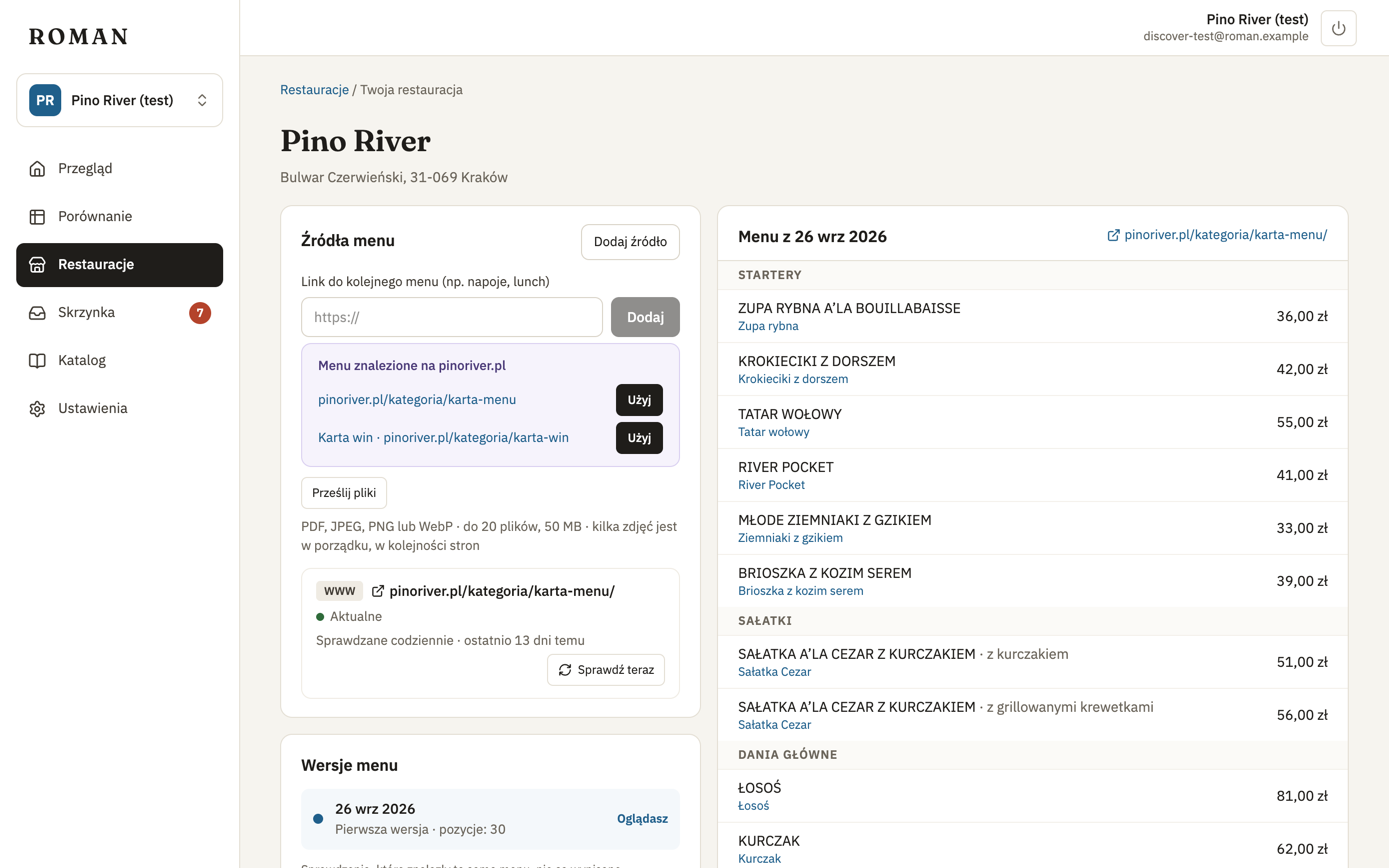
Where to find it
The Find the menu on their website button shows up where Roman doesn't know a menu link:
- in step 1, for your restaurant, when Roman doesn't know a link to its menu (e.g. when you enter it by address),
- when adding a competitor by address,
- when adding a source on a restaurant's page.
How it works
- Click Find the menu on their website. If Roman knows the restaurant's website, it starts searching right away; if not, enter the address and click Search.
- After a few seconds you see the menus found on the website — e.g. the food menu and the wine list.
- Click Use this next to the right one.
Allowance
As many searches a month per location as your license includes (usually 5); the button shows how many are left. Searches that failed (e.g. the website couldn't be read) don't count.
Some websites can't be searched — e.g. ones that build their pages with a script. Paste a link or upload files instead.