Inbox
Items from competitors' menus — and from your own menu, labelled Your menu — that Roman couldn't match with confidence. Here you decide what they are.
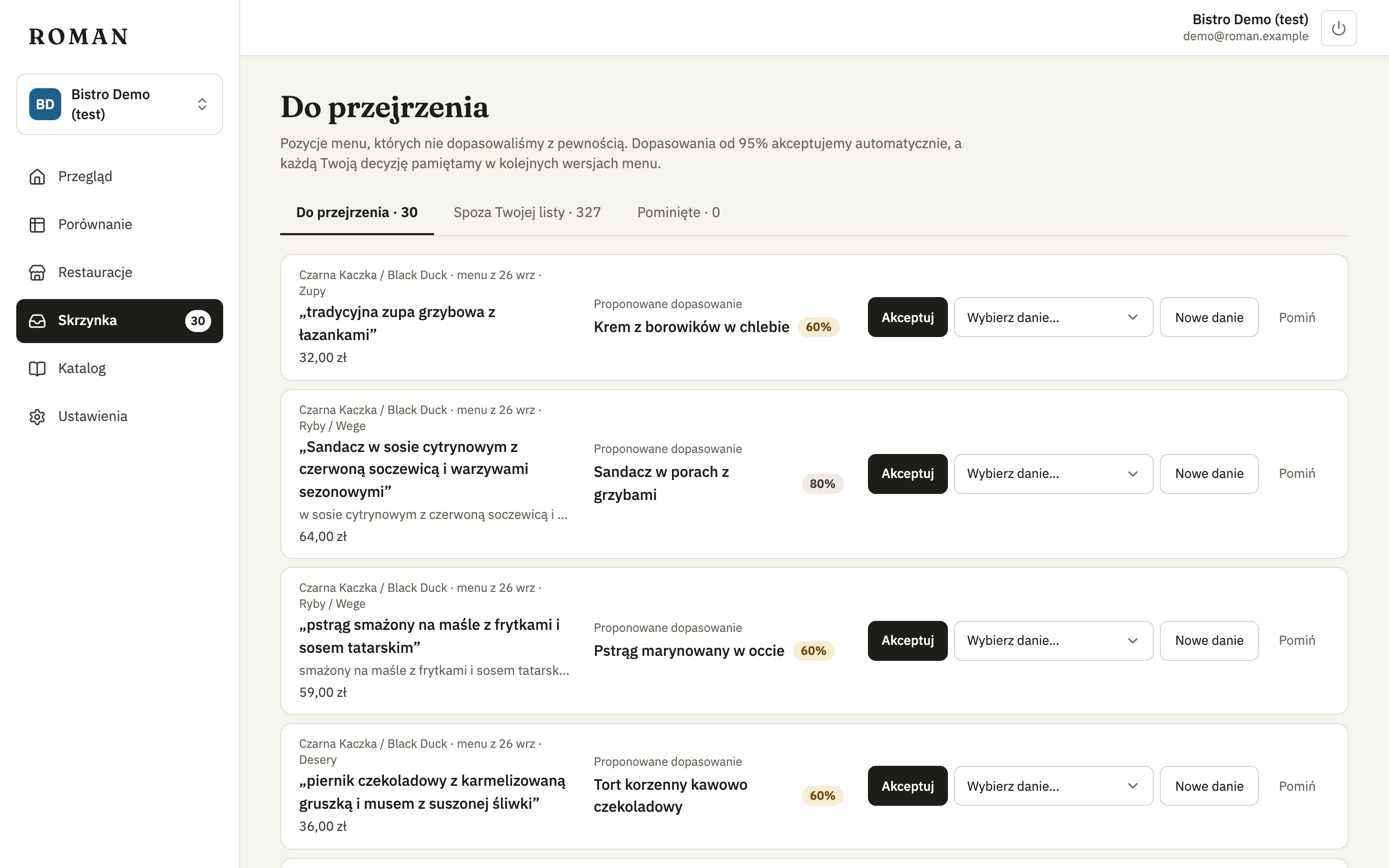
What you see
For every item: which restaurant and menu version it comes from, how it's listed on the menu, its price, and the suggested dish with the match's confidence.
What you can do
- Accept match — it is the suggested dish.
- Pick dish… — it's another dish on your list.
- New dish — add the item as a new dish to compare, and match it right away.
- Ignore — don't compare this item.
Every decision is remembered and holds for later menu versions too — you won't see the same item in the inbox again.
Tabs
- Needs review — uncertain matches (60–95% confidence).
- Not on your list — items that don't fit any of your dishes. Look through them now and then: it's a good way to find dishes worth adding to your comparison.
- Ignored — items you ignored, also from your own menu. Restore undoes the decision.
Roman accepts matches of 95% or more by itself — they don't go to the inbox. If one is wrong, undo it on the dish page.