License
The license sets what your organization includes: how many locations it has, the limits of each location and how long it's valid. Every organization has one license. We agree it with you — there's nothing to buy or change in the app.
Where to see it
In Settings, on the License card:
- status: Active, Ends soon (less than 14 days left) or Read-only,
- Valid until — a date or no end date,
- Locations — how many locations the organization has and how many the license includes (only an Owner sees this),
- under This location — the open location's limits and usage.
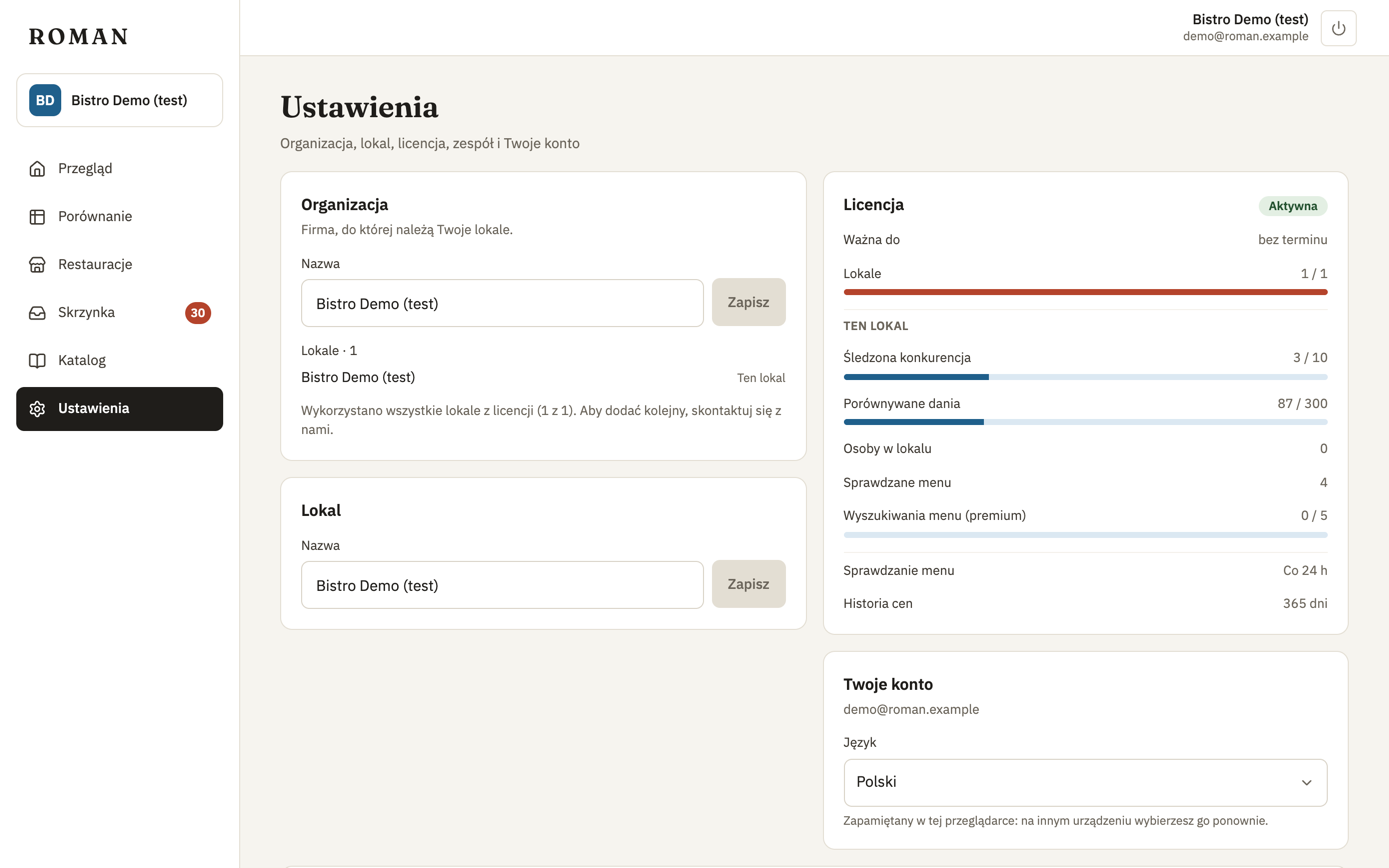
Everyone with access to the location sees the card: Owner, Manager and View only.
What it includes
| Limit | Standard | Applies to |
|---|---|---|
| Locations | 1 | the organization |
| Competitors tracked | 10 restaurants | each location |
| Dishes compared | 300 | each location |
| Menu searches (premium) | 5 a month | each location |
| Menu checks | every 24 hours | all of the organization's menus |
| Price history kept | 365 days | the charts on dish pages |
Your license may have different values — Settings shows the ones that apply. When a limit is reached, Roman won't let you add another location, restaurant, dish or search and tells you what the limit is. It never deletes anything.
When the license ends
| When | What happens |
|---|---|
| 14 days before the end | An Owner sees a notice at the top of the app saying when the license ends. They can hide it until the next day. |
| For 14 days after the end | Read-only — for everyone, the Owner included. Everything stays visible, but nothing can be changed: competitors, menus, dishes, inbox decisions, the team. Menus tracked only by your organization are no longer checked. Everyone sees a notice saying until when the data is available. |
| After that | Signing in to the organization is blocked. The data stays — nothing is deleted. |
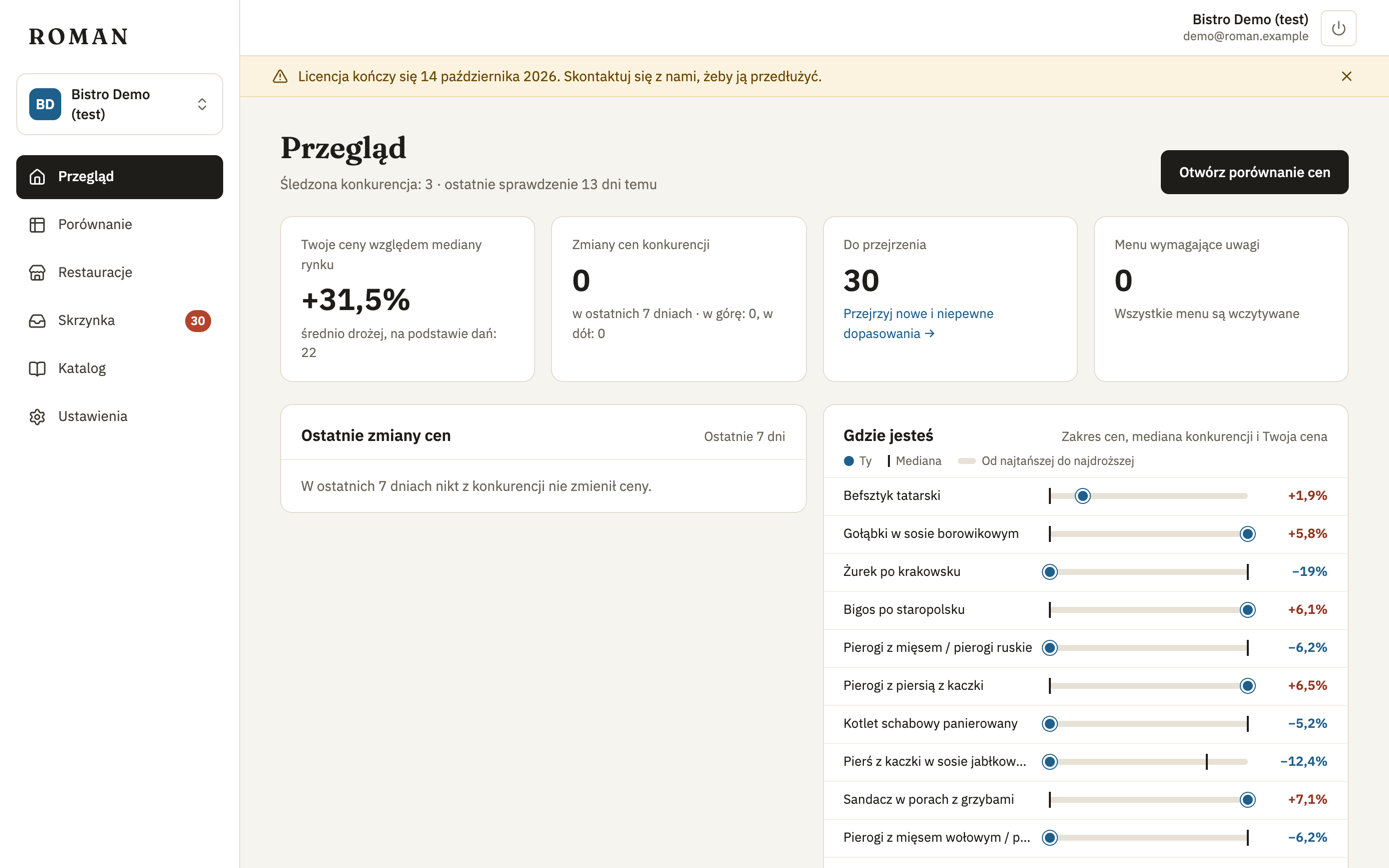
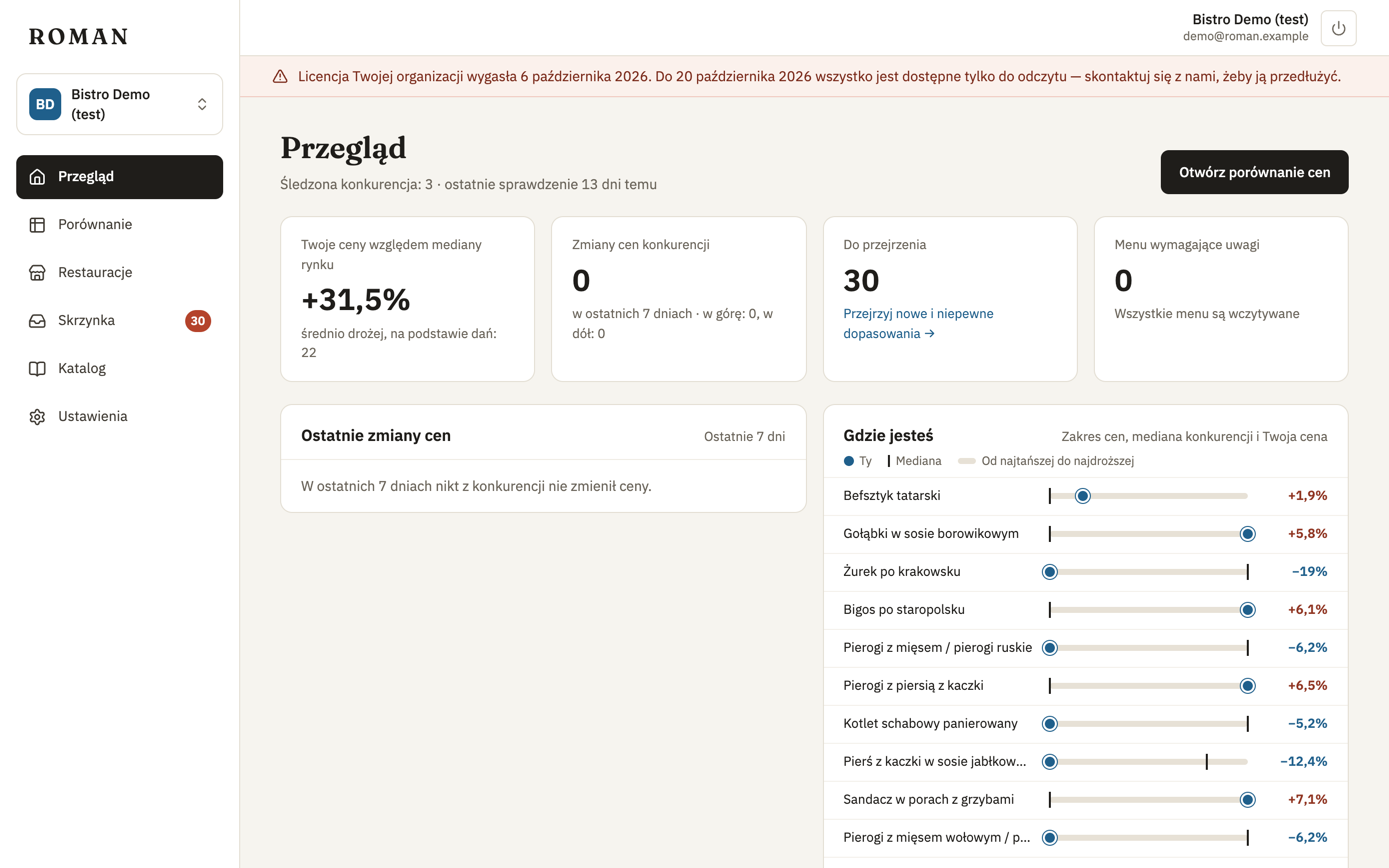
To extend the license, contact us. Once it's extended, everything works again at once, also after the blocked period has started.
Access turned off
We can also turn off access for the whole organization, e.g. at your request. Then nobody in the organization can sign in, and open sessions end at once. When access is turned back on, everything is as it was.