Compare
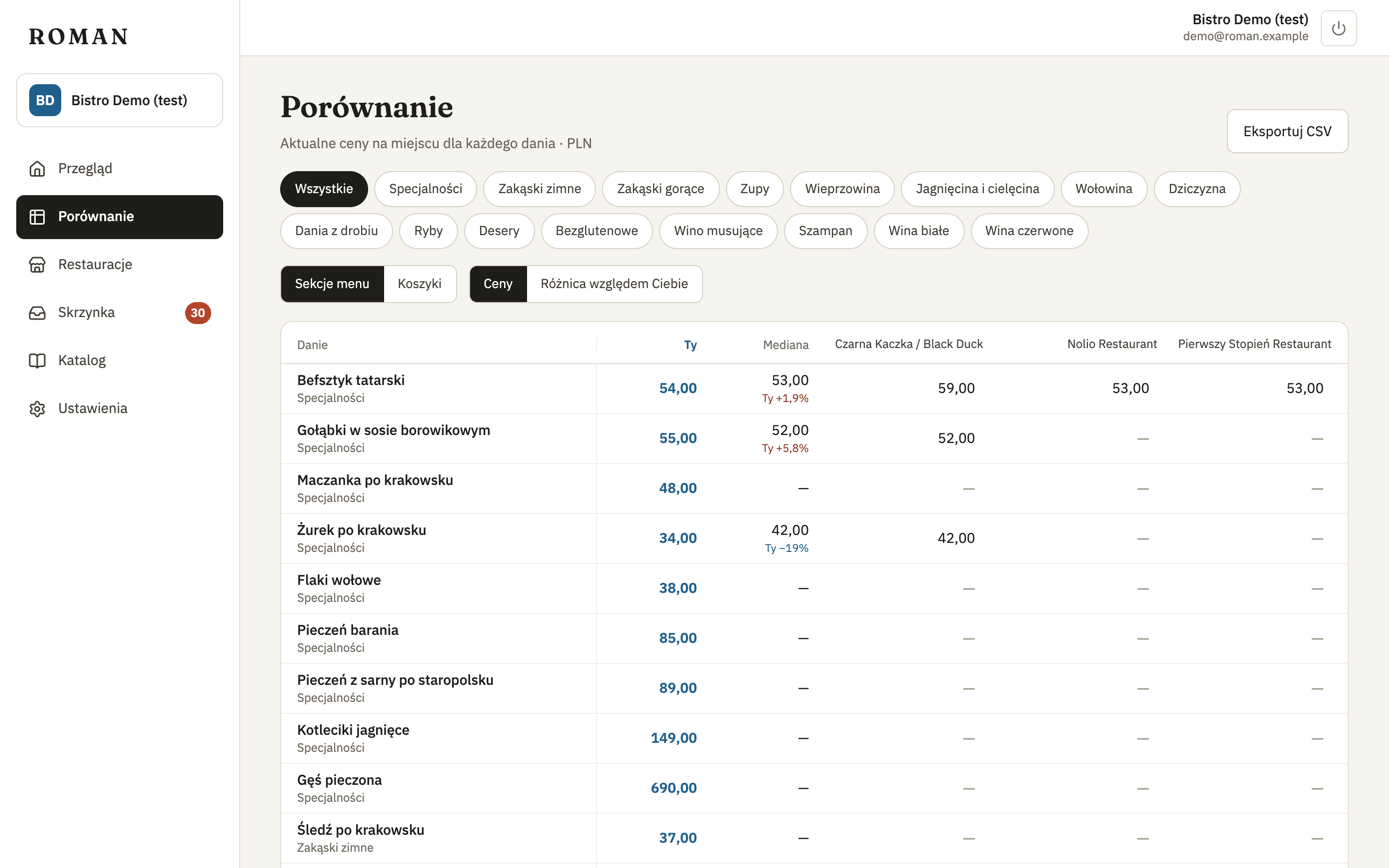
Every one of your dishes at every restaurant you track: your price, the median and each competitor's price. These are the current prices from the latest menu versions.
Reading the table
- Dishes follow the order and sections of your own menu. You can filter by section.
- from 41.00 — the restaurant has several variants of the dish (e.g. sizes); the lowest price is shown.
- was 38.00 — the price changed in the last 7 days; the previous one is shown next to it.
- 18.00 / 100 g — a price by weight or volume (e.g. a steak sold by weight, wine by the litre). It's shown as the menu states it, but it can't be compared with a price per item, so it doesn't count towards the median or the difference vs you.
- — — it's not on their menu.
- menu not updating next to a restaurant — the last reading of its menu failed, so its prices may be out of date. Check it in Restaurants.
Click a dish to see its history and details.
Grouping by baskets
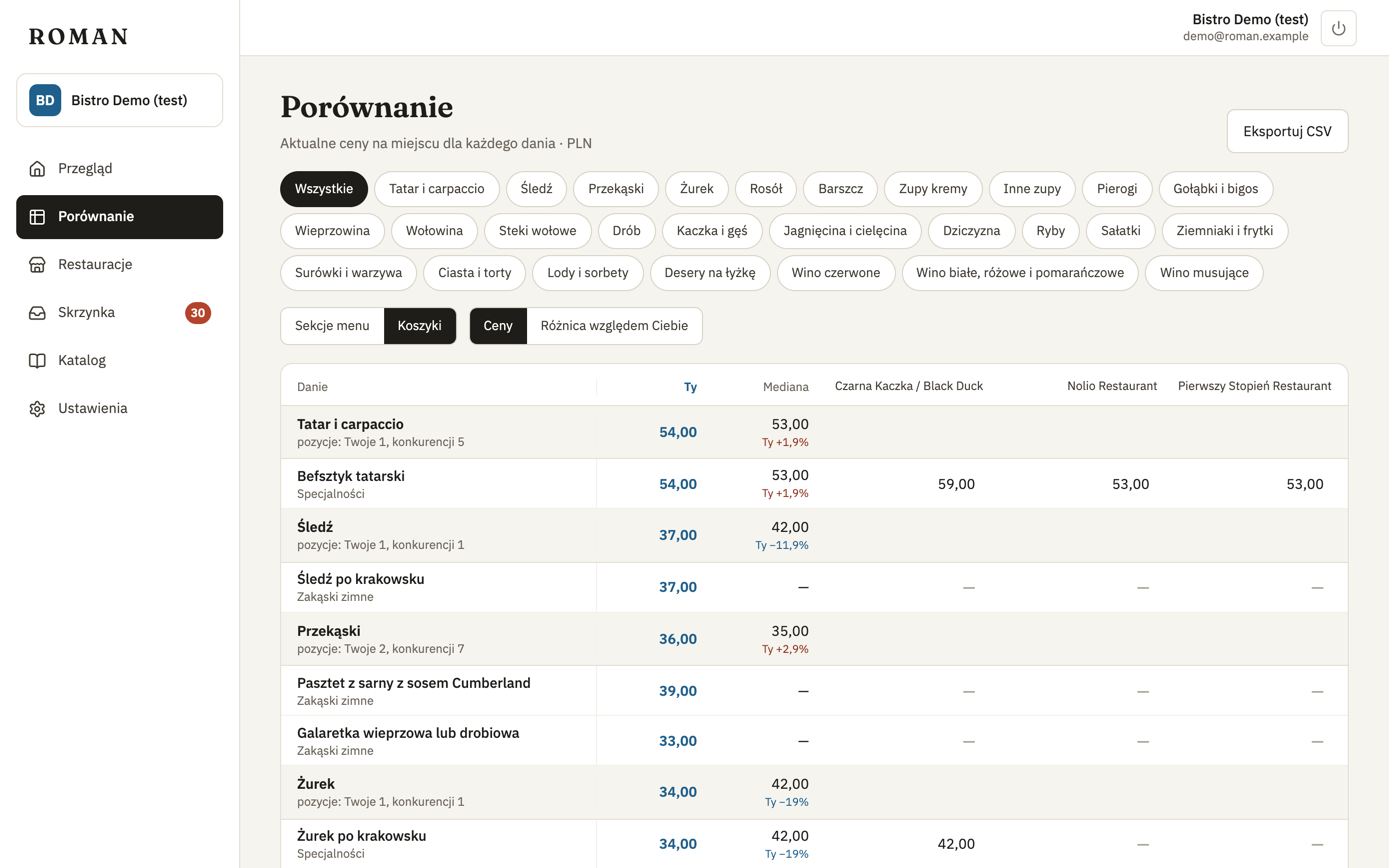
When the organization has baskets, switch Group by to Baskets. Dishes are arranged by kind of dish, and the filters above the table are baskets instead of your menu's sections. Each basket has a row with the median of your items (You) and of the competitors' items (Median), and the number of items. These medians count every item in the basket, including items that match none of your dishes. Dishes without a basket come last, under No basket.
Difference vs you
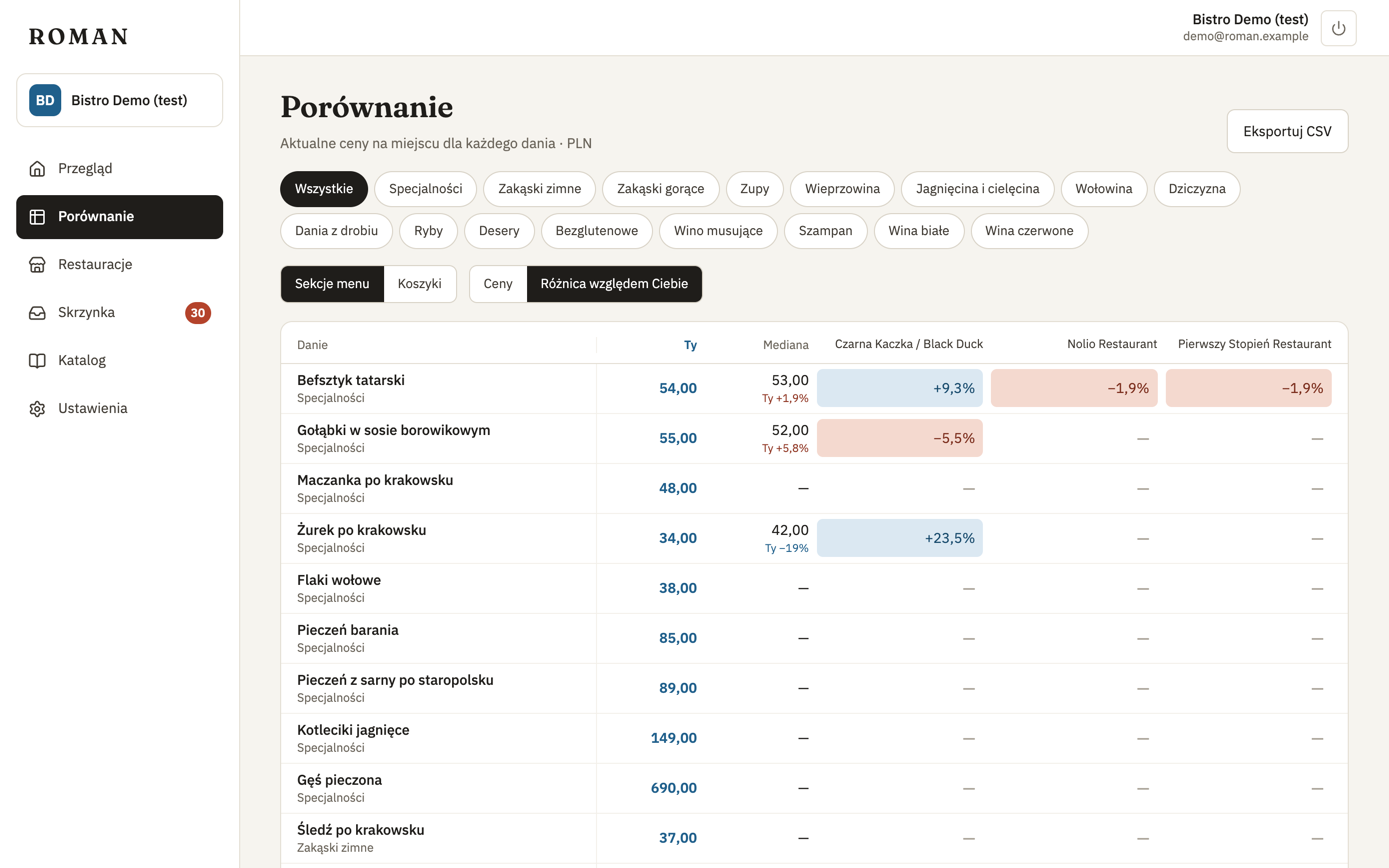
Switch Show to Difference vs you to see each price's difference from yours in percent: red where the competitor is cheaper, blue where it's more expensive.
Export to CSV
Export CSV saves the table as a file that opens correctly in Excel — with semicolons and decimal commas in Polish, commas and dots in English, depending on the app's language. Prices by weight or volume go into the file as text, e.g. “PLN 18.00 / 100 g”. The Basket column gives the kind of dish from your baskets.
Portions
The table compares prices, not portions. If you suspect the portions differ (e.g. 250 g vs 400 g), open the dish page — its current prices show each item's portion when the menu states it. Roman doesn't convert prices to 100 g or a litre, and doesn't compare prices by weight or volume with prices per item.