Step 1: Your restaurant and its menu
Setup has four steps: your restaurant, your dishes, baskets, competitors. The organization's Owner goes through it; everyone else sees the location once setup is finished. Progress is saved, so after a refresh or when you come back the next day, you return to the right step.
Find your restaurant
Type your restaurant's name and pick it from the list.
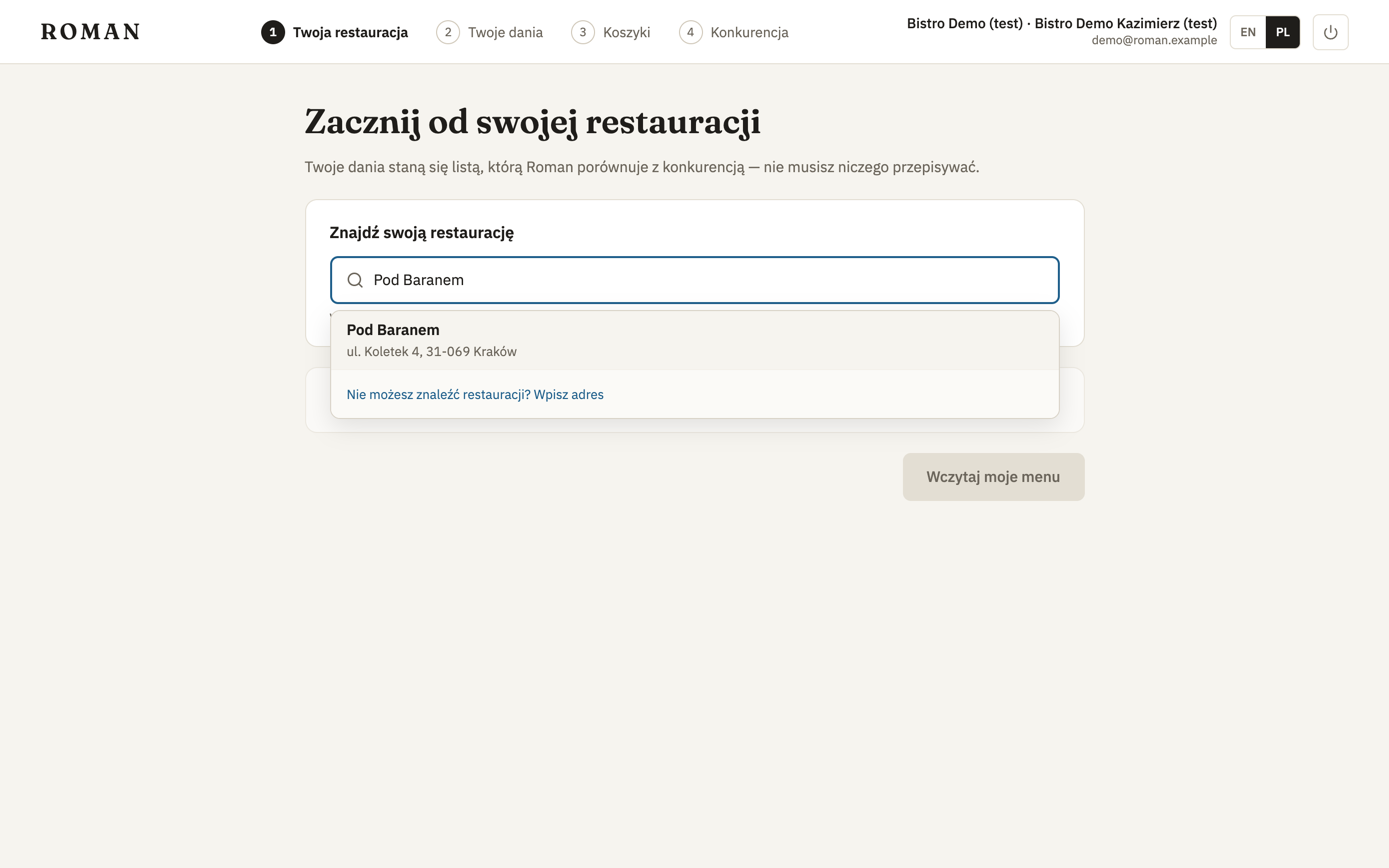
If Roman already knows a link to your menu, it uses it right away — you see Using this menu and just click Read my menu. You can also choose Use a different link or upload the menu as files.
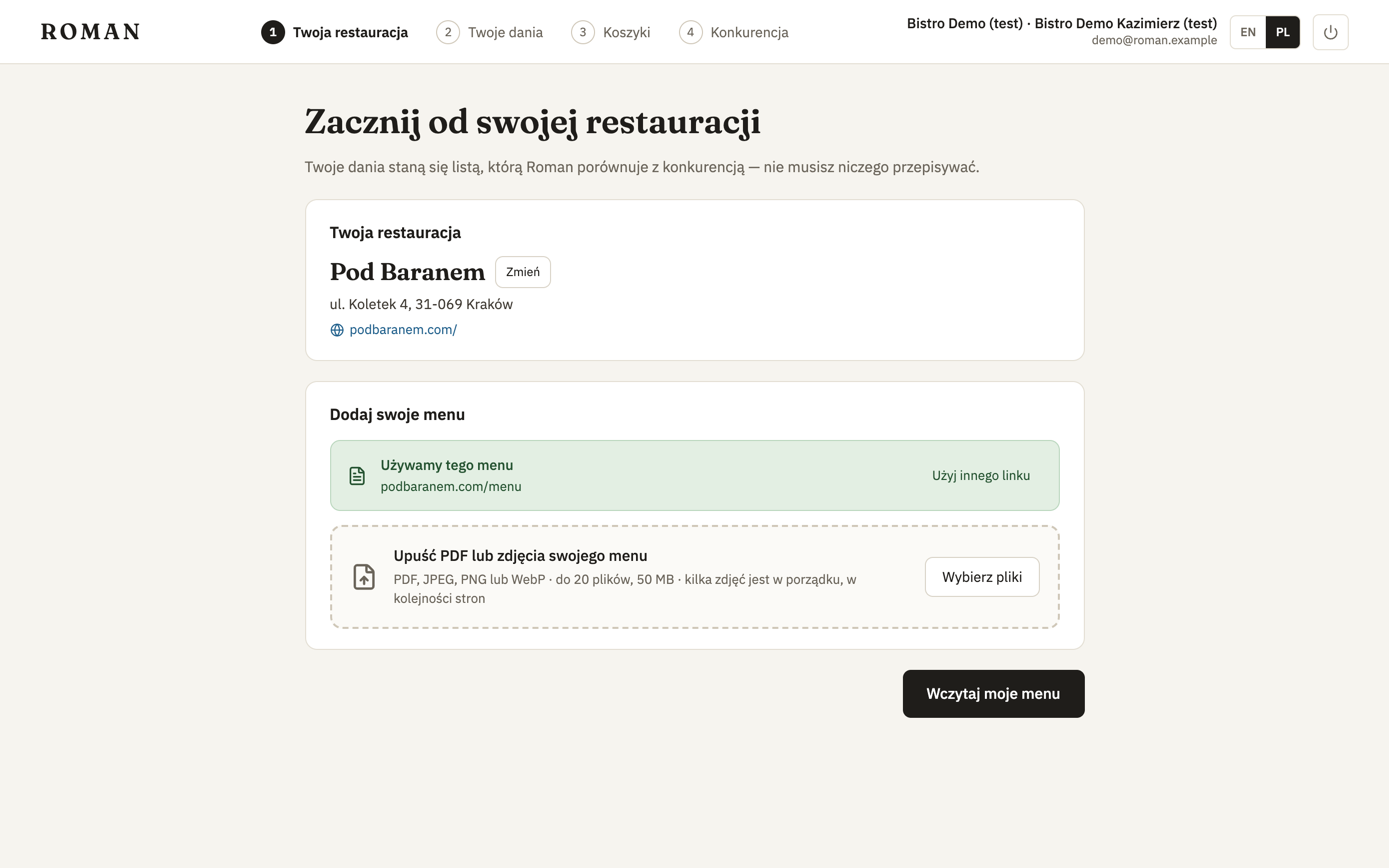
Your restaurant isn't on the list
Click Can't find your restaurant? Enter the address instead, enter the name and address, then Find on map.
- The pin is placed where the address was found. If it points at the wrong building, drag it onto the entrance. Moving or zooming the map doesn't move the pin.
- If the address can't be found, click the map where the restaurant is.
- Addresses are only looked up within the city.
- If Roman already knows a restaurant with a similar name nearby, it offers that one, with its menu, instead of creating a new one.
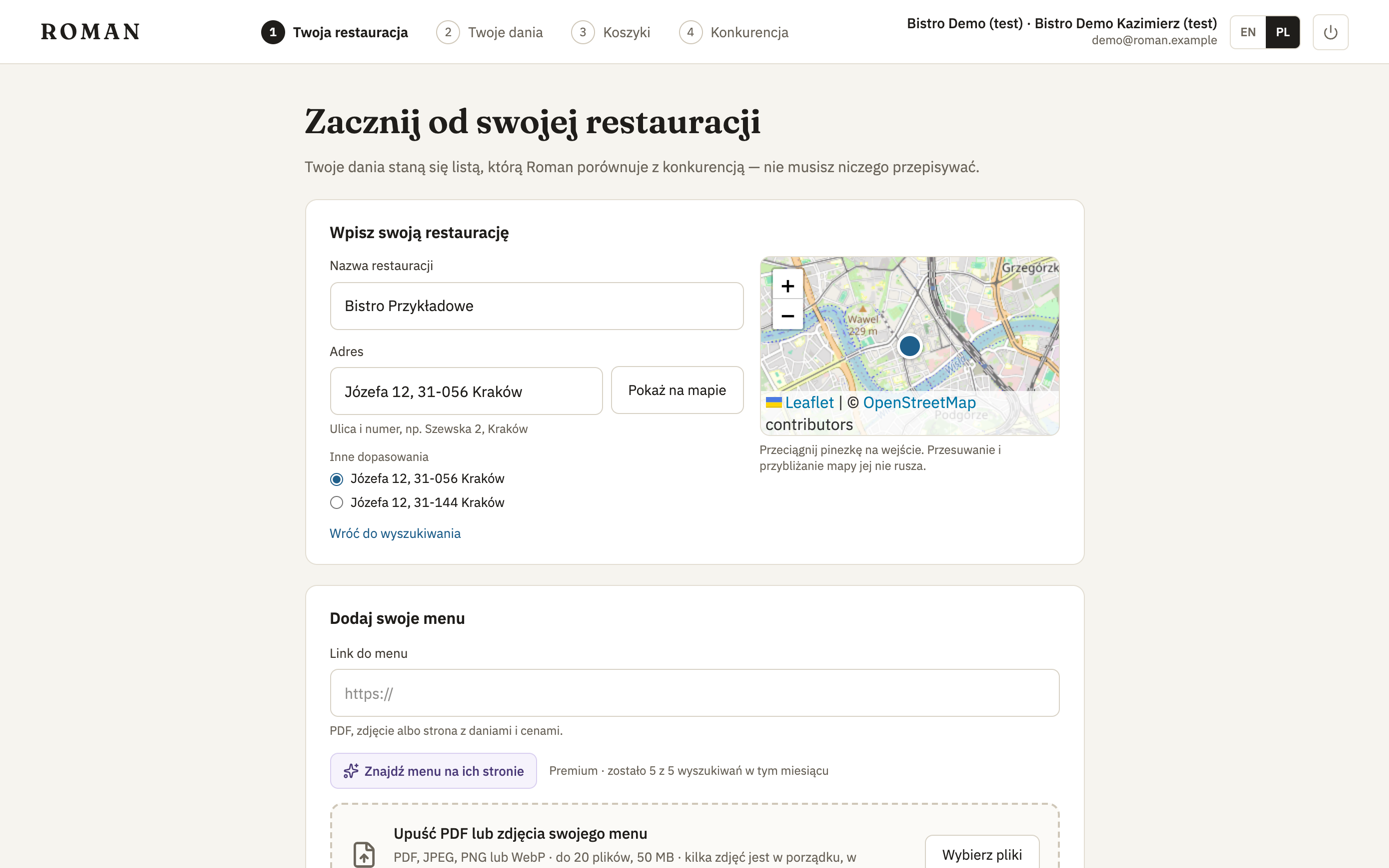
Add your menu
There are three ways:
- A link to a menu page, a PDF or a photo of the menu. This is the default, and it's free.
- Files: PDF, JPEG, PNG or WebP, up to 20 files and 50 MB. Several photos are read as consecutive pages, in the order you give them. An uploaded menu is only visible to your team.
- Find the menu on their website — a premium feature: Roman looks through the restaurant's website itself. More.
Details and tips: Menu sources.
Reading the menu
After Read my menu, the screen shows what's happening and refreshes by itself:
| State | What you see |
|---|---|
| Waiting | Waiting for a reader… |
| Reading | Reading your menu — usually under a minute (with a seconds counter) |
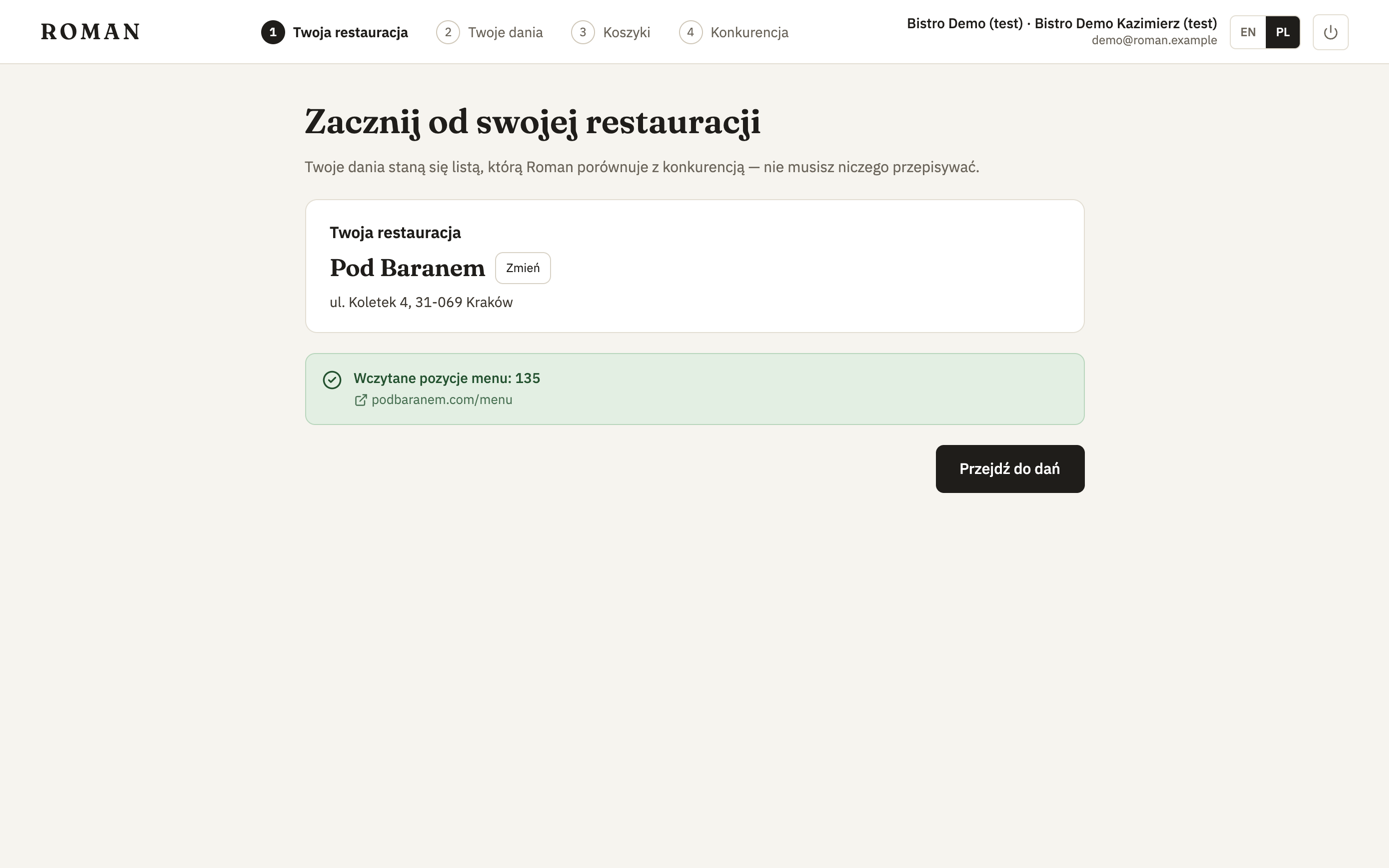
| Done | The number of menu items read, and Continue to your dishes |
| Failed | The reason in plain words, and Try again or Use another link |
| Delayed | We're busy right now; your menu will be read shortly |
If someone already tracks the same menu, it's ready at once. A new menu usually takes from ten seconds to under a minute — meanwhile you can click Set up baskets meanwhile and come back to your dishes later.
What the errors mean and what to do: When a menu won't read.