Overview
The home page: the key numbers and what changed lately.
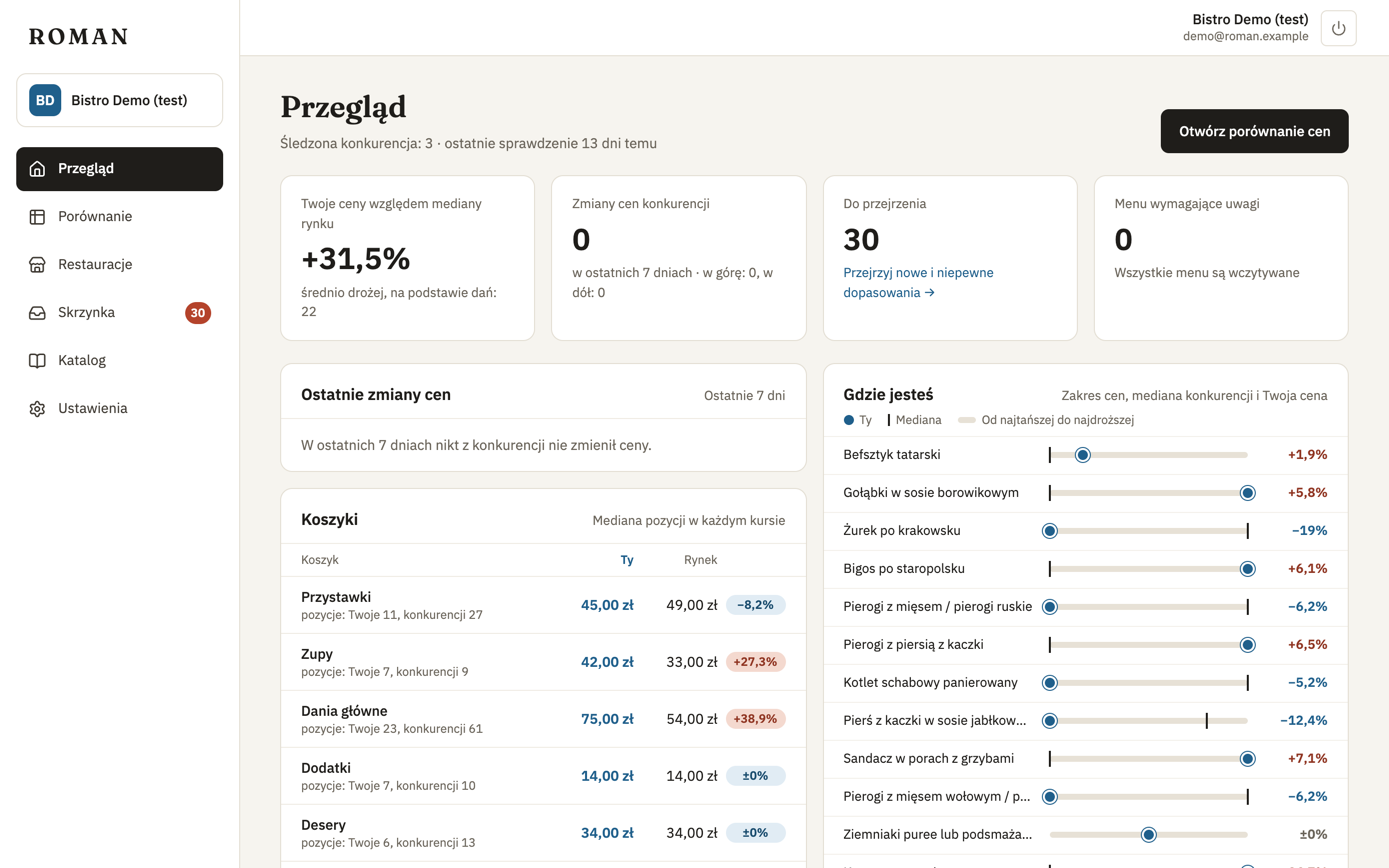
Four numbers
- Your prices vs market median — how much cheaper or more expensive you are on average than the competitors' median, in percent, and across how many dishes.
- Competitor price changes — how many prices changed in the last 7 days: how many up, how many down.
- Waiting for review — items waiting in your inbox.
- Menus needing attention — menus that couldn't be read lately. Click to go to Restaurants and see why.
Recent price changes
Competitors' price changes over the last 7 days: dish, restaurant, price before and after.
Where you stand
One line per dish: the range of prices (cheapest to most expensive, yours included), the competitors' median and your price. The card shows up to 12 dishes in your menu's order; the link below the list shows the rest. Click a dish to open its dish page, or go to the full comparison.
Baskets
For each course in your baskets — starters, soups, mains… — the median of your items (You), the median of the competitors' items (Market) and the difference in percent. Every item on the current menus counts, not just your dishes; under the name you see how many items the medians come from. Compare by baskets opens Compare grouped by kind of dish.
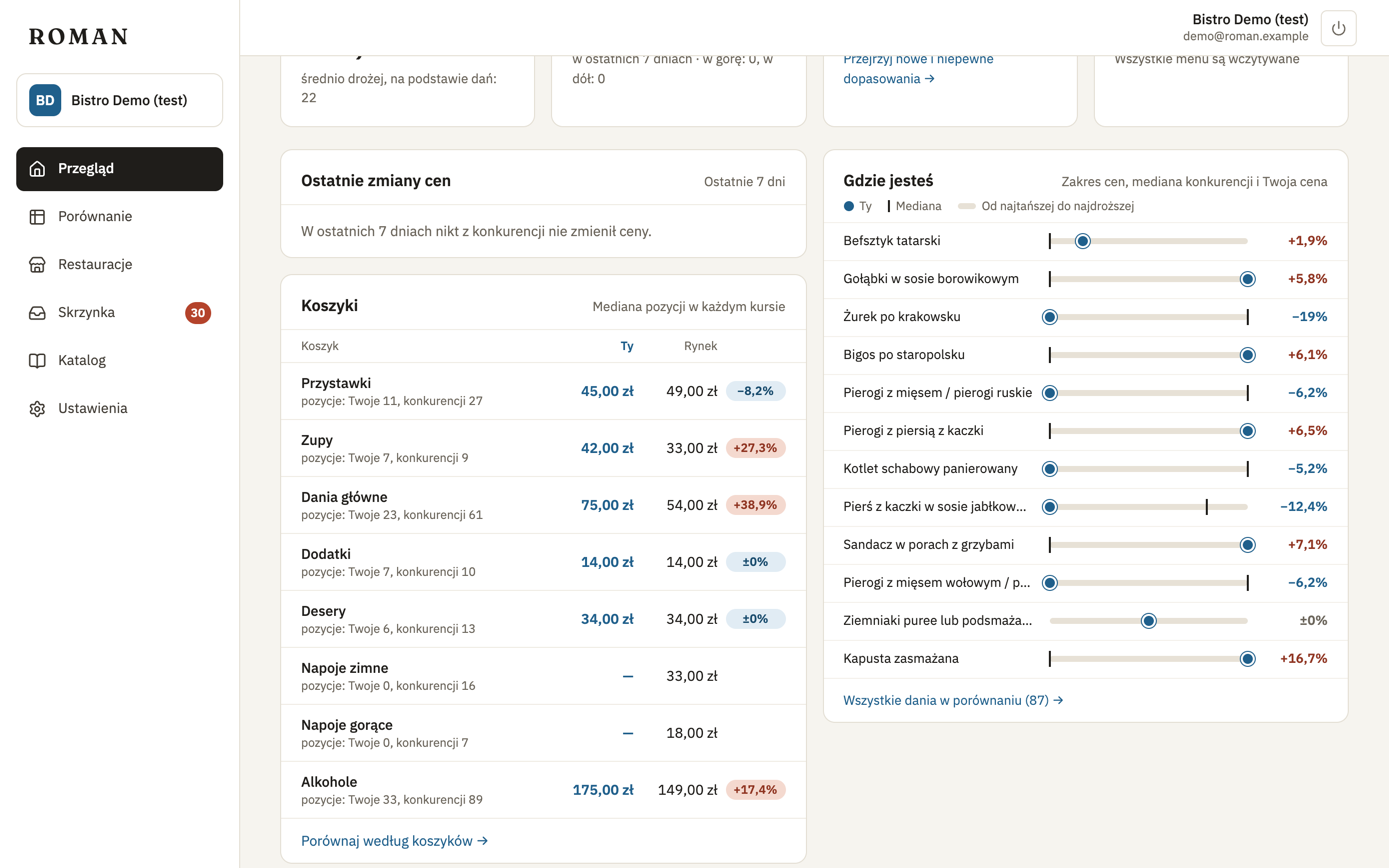
The median
The median is the middle price: half the competitors are cheaper, half are more expensive. Unlike an average, one very expensive or very cheap restaurant doesn't move it. Only competitors' prices count towards the median, not yours, and only prices per item — a price by weight or volume (e.g. “PLN 18 / 100 g”) doesn't count.