Baskets
Baskets group similar menu items so you can compare whole groups, not just single dishes: your desserts against the market's desserts, your pizza against the competitors' pizza. You'll find them in the Catalog, on the Baskets tab.
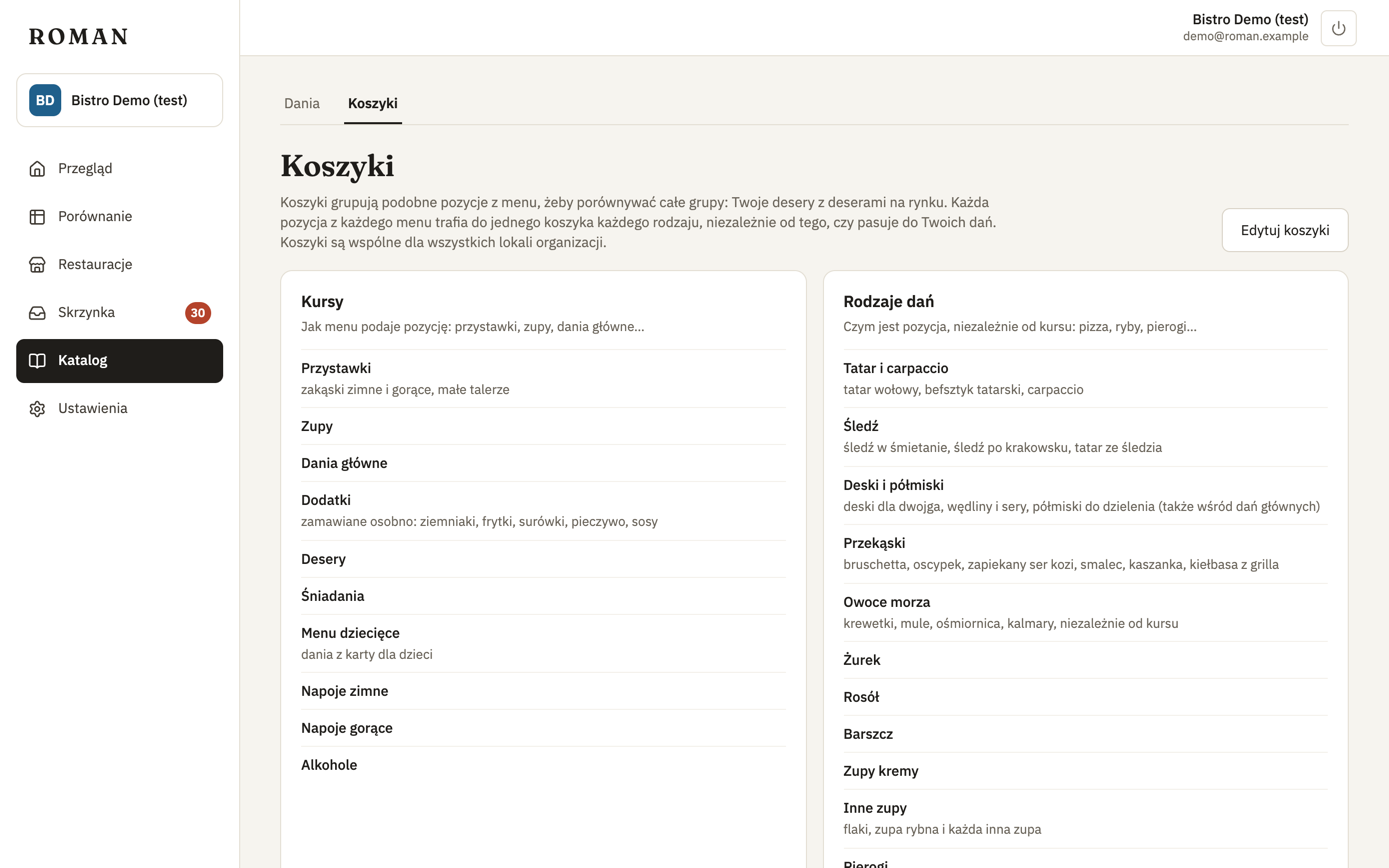
Two kinds of baskets
- Courses — how a menu lists the item: starters, soups, mains, desserts, drinks… Pierogi in the starters section are a starter; in the mains section, a main.
- Kinds of dishes — what the item is, whatever its course: pizza, fish, pierogi, red wine…
Every item on every menu — yours and the competitors' — goes into one course and one kind of dish. That includes items that match none of your dishes: the "Desserts" basket covers every dessert on the market, not just the ones you sell. An item that fits nothing stays without a basket.
Baskets are shared by all locations of your organization.
Setting them up
The Owner sets up baskets in step 3 of the first location's setup, starting from the suggested list of 10 courses and 51 kinds of dishes. Setup can't be finished without baskets.
An organization that started using Roman before baskets existed has to set them up: the Owner gets this step on their next visit, and everyone else sees a message that the Owner is still setting up the location.
Changes
Click Edit baskets.
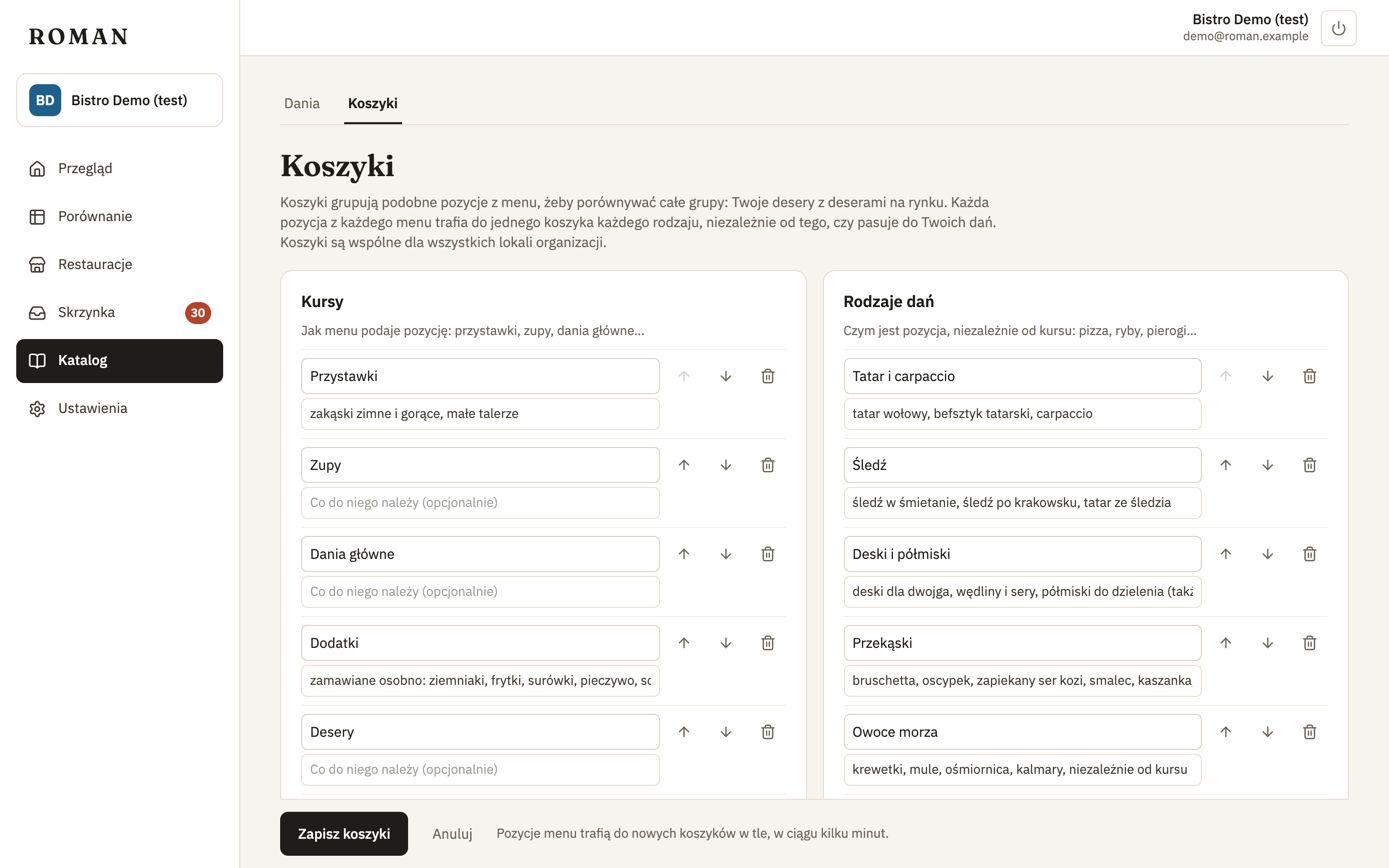
- Each basket has a name and an optional description: what belongs in it. Roman reads the description when sorting items, so examples ("margherita, calzone") help.
- The arrows change the order — baskets are shown in this order.
- The bin removes a basket; Add a basket adds one.
When you click Save baskets, Roman sorts the items on the current menus into the baskets again, in the background; the medians show up within a few minutes. Basket names are yours — like dish names, Roman doesn't translate them.
The Owner changes baskets; everyone else sees them (roles).
Where baskets show up
- Overview — the Baskets card: the median of your items and the competitors' items in each course.
- Compare — Group by → Baskets arranges dishes by kind, with each basket's medians.
- Catalog — each dish shows its basket.
How the medians are counted
- A basket's median covers every item in it on the current menus: yours (You) and the competitors' (Market) separately. Next to it you see how many items it comes from.
- Each item counts once, at its lowest price, like "from" in Compare.
- Prices by weight or volume ("PLN 18 / 100 g") don't count.
- Sizes are compared with the same size. When items in a basket state a volume, they count only at the basket's most common volume — e.g. wine by the glass, not by the bottle, when most menus list glasses. Items without a volume always count.
- A dish gets the basket of its item on your menu or, if you don't sell it, the basket it's in most often at the competitors.
Items are sorted into baskets by a language model (AI). It's usually right, but it can make mistakes.