Step 4: Competitors
Pick the restaurants you want to compare yourself with: at least one, and as many as your license includes (usually 10).
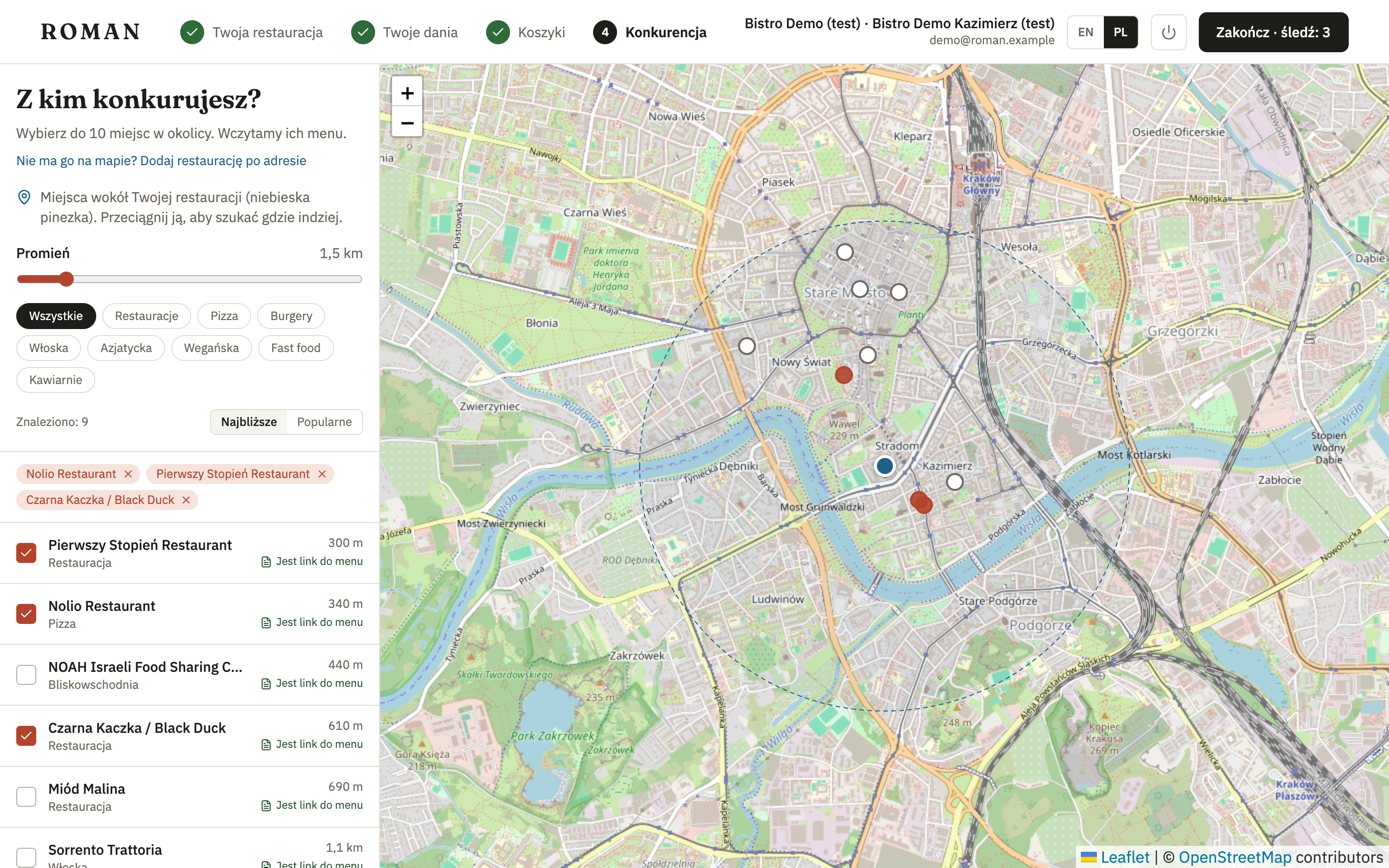
The map and the list show places around your restaurant (the blue pin):
- Radius — how far to look.
- Cuisine — e.g. pizza, Italian, Asian.
- Nearest or Popular — the order of the list.
- Each place shows whether Roman already has a link to its menu. Without one, you'll add the menu later on the restaurant's page.
- Drag your restaurant's pin to search in another area.
A restaurant isn't on the map
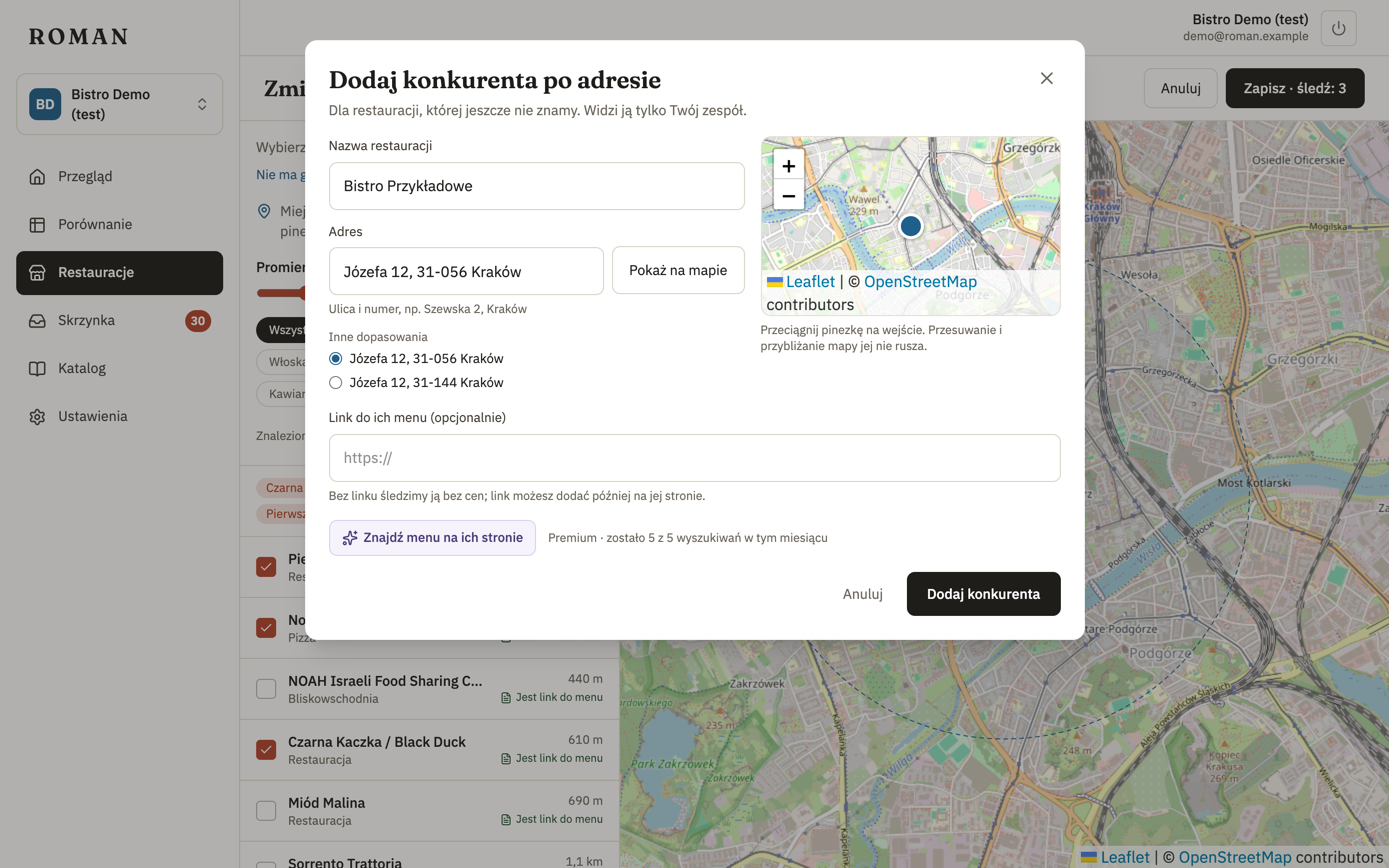
Click Not on the map? Add a restaurant by address and enter the name and address, just like for your own restaurant. The menu link is optional: without it, the restaurant is tracked without prices, and you can add the link later. Only your team sees such a restaurant, and it counts towards your license's limit.
Finish
Finish works once your dishes (step 2) and baskets (step 3) are saved; the button shows how many restaurants will be tracked. After Finish, Roman starts reading your competitors' menus and matching them to your dishes. The first prices usually show up within minutes. If someone tracked a restaurant's menu before you, you also see its price history right away.
You can change competitors later in Restaurants.