Settings
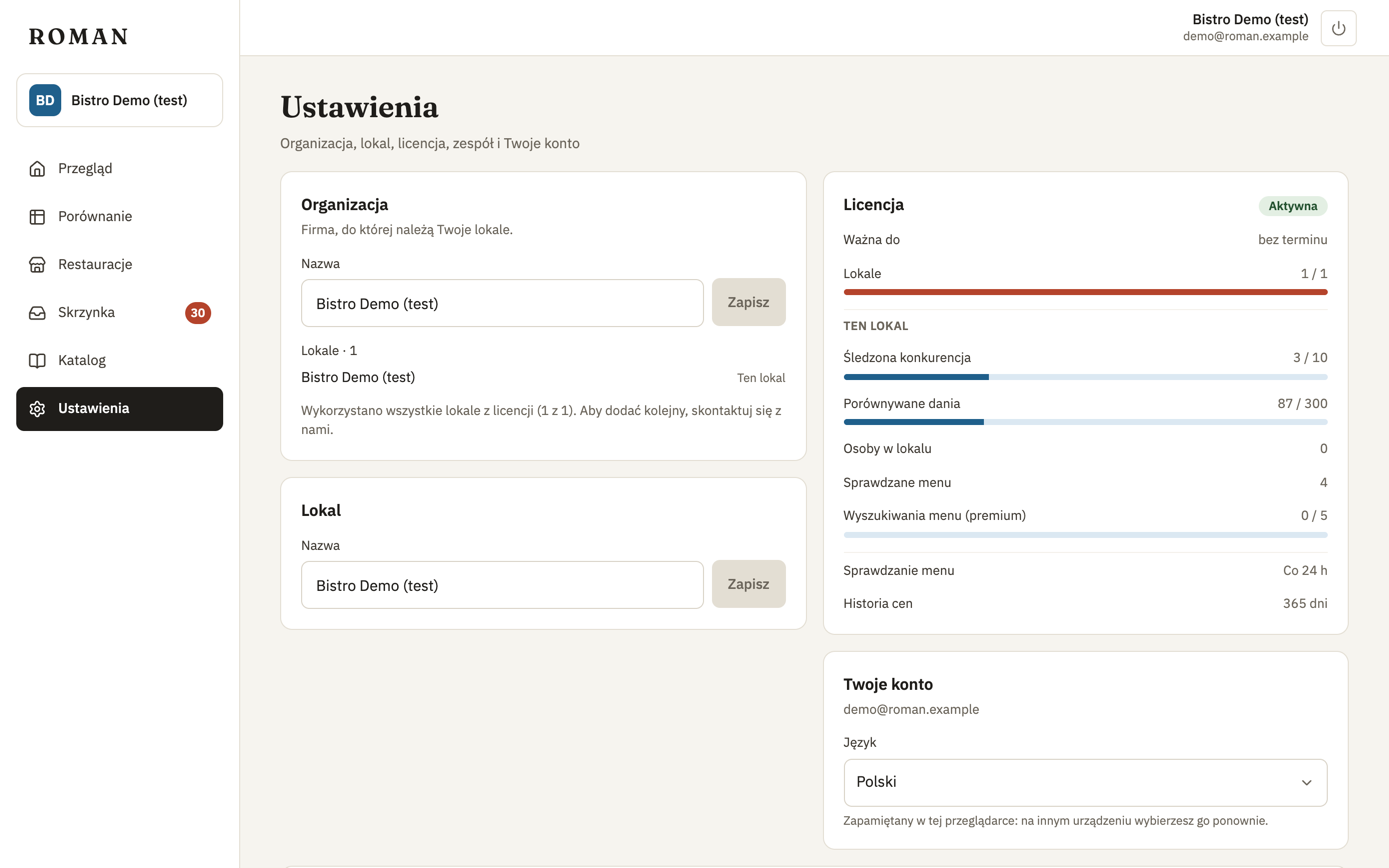
What each role sees
| Part of Settings | Owner | Manager | View only |
|---|---|---|---|
| Organization: name | changes | sees | sees |
| Organization: locations | all, adds new ones | the ones they can open | the ones they can open |
| Location: name | changes | sees | sees |
| License: status, end date, the location's limits | sees | sees | sees |
| License: locations used and allowed | sees | — | — |
| Team | manages | — | — |
| Your account: language | changes | changes | changes |
A person without a location doesn't see Settings — see Organization and locations. The roles are described in Team and roles.
Organization
The organization is the business your locations belong to (more).
- Name of the organization — e.g. the company or restaurant group. An Owner changes it.
- Locations — the organization's locations you can open; the open one is marked This location.
- Add location — an Owner adds a location while the license allows it (how).
When the organization's name differs from the location's, the top bar shows both, e.g. "Grupa Demo · Bistro Demo".
Location
A location is your restaurant in Roman: its competitors, dishes and prices.
- Name of the location — usually the restaurant's name. An Owner changes it.
Team
For Owners only: the people in the organization and their access, invites, password reset links and removing people — described in Team and roles.
License
The organization's license status, how long it's valid, how many locations it includes (Owner only) and, under This location, the open location's limits and usage: competitors tracked, dishes compared, people in this location, menus checked, menu searches this month, how often menus are checked and how long price history is kept. Everything about the license, including what happens when it ends: License.
Your account
Your email address and the app's Language: Polish or English. The language is yours only and is remembered in this browser, so on another device you pick it again. It doesn't depend on the location: switching locations keeps it.