Dish page
Click a dish in Compare, the Overview or the Catalog to see everything about its prices.
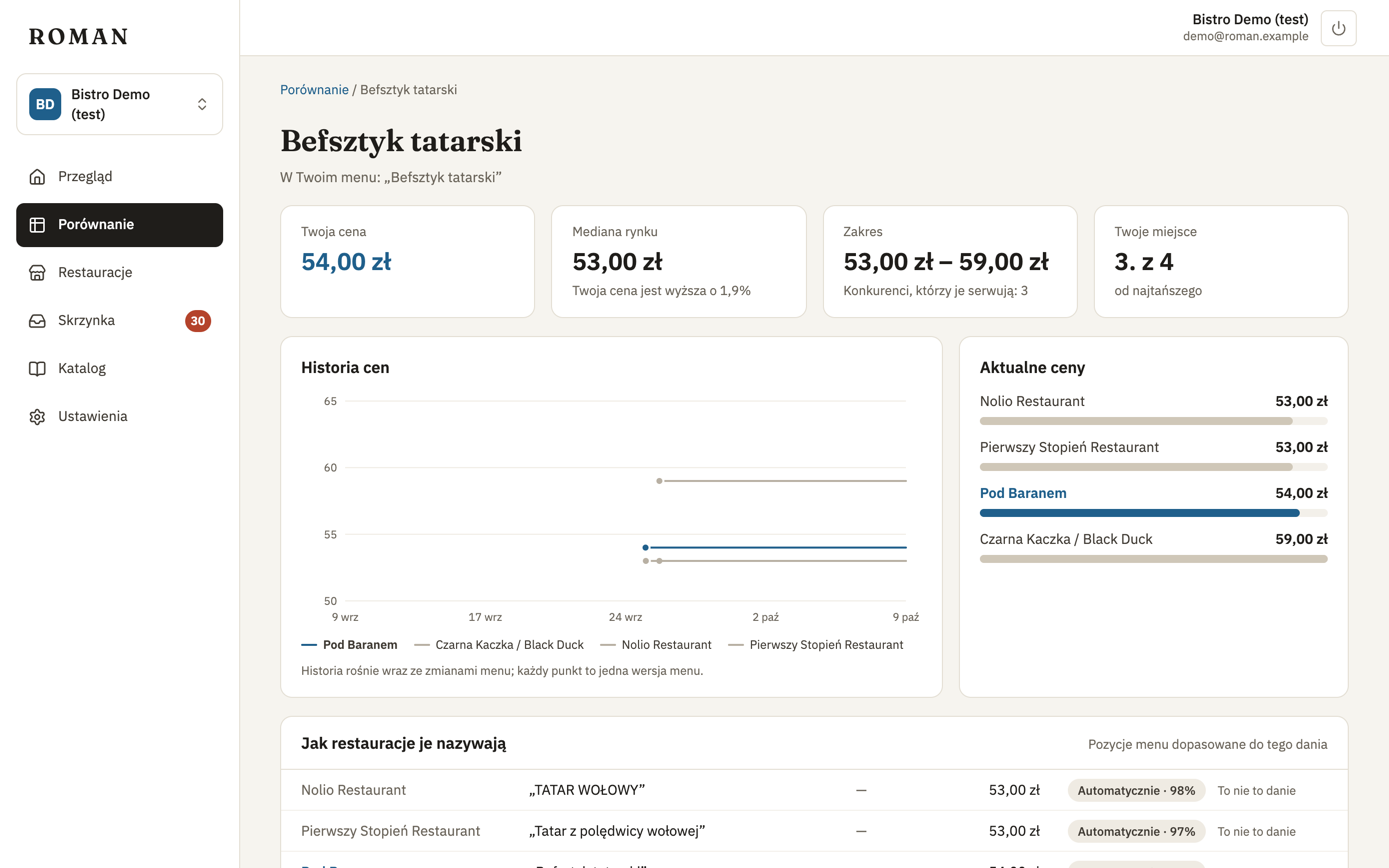
Summary
- Your price — and how the dish is listed on your menu.
- Market median — and how much higher or lower your price is.
- Range — the cheapest to the most expensive competitor price, and how many of your competitors serve the dish.
- Your rank — your place, counting from the cheapest.
The summary and the price history count prices per item only. A price by weight or volume (e.g. “PLN 18.00 / 100 g”) is in the current prices — last, without a bar — but isn't part of the median, the range or your rank.
Price history
A chart of the prices at every restaurant: one point per menu version, over the period your license includes (usually a year). The history grows over time — a point is added when a restaurant changes its menu. If someone tracked a restaurant's menu before you did, you see the older prices too.
Current prices
Every item on the current menus matched to this dish: restaurant, name as on the menu, variant, portion (when the menu states it) and price — for a price by weight or volume, with the amount it's for (e.g. “/ 100 g”).
How restaurants list it
The menu items matched to this dish, and where each match came from:
- Auto · 97% — Roman was confident about the match (95% or more).
- Confirmed by you — you decided in the inbox.
If an item is really a different dish, click Not this dish. The item no longer counts towards this dish's prices and moves to the items not on your list. The decision holds for later menu versions too.