Restaurants
Your restaurant and the competitors you track, each with the state of its menu.
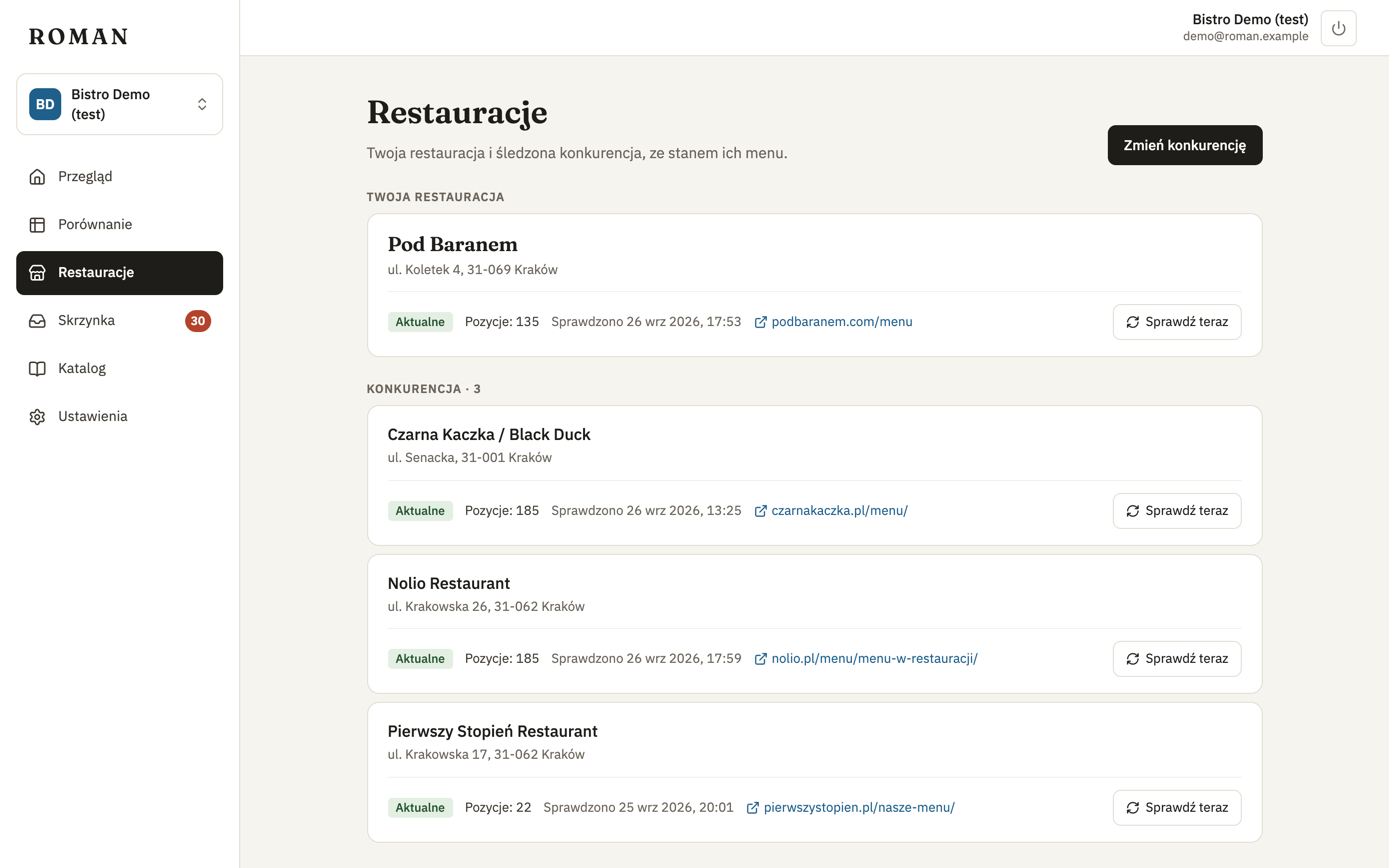
For each restaurant:
- Menu state: Up to date, Waiting, Reading, Failing or Delayed.
- Number of items on the current menu and when it was last checked.
- Check now — moves the menu to the front of the queue, e.g. when you know the restaurant just changed its prices. Normally every menu is checked once a day (license).
Changing competitors
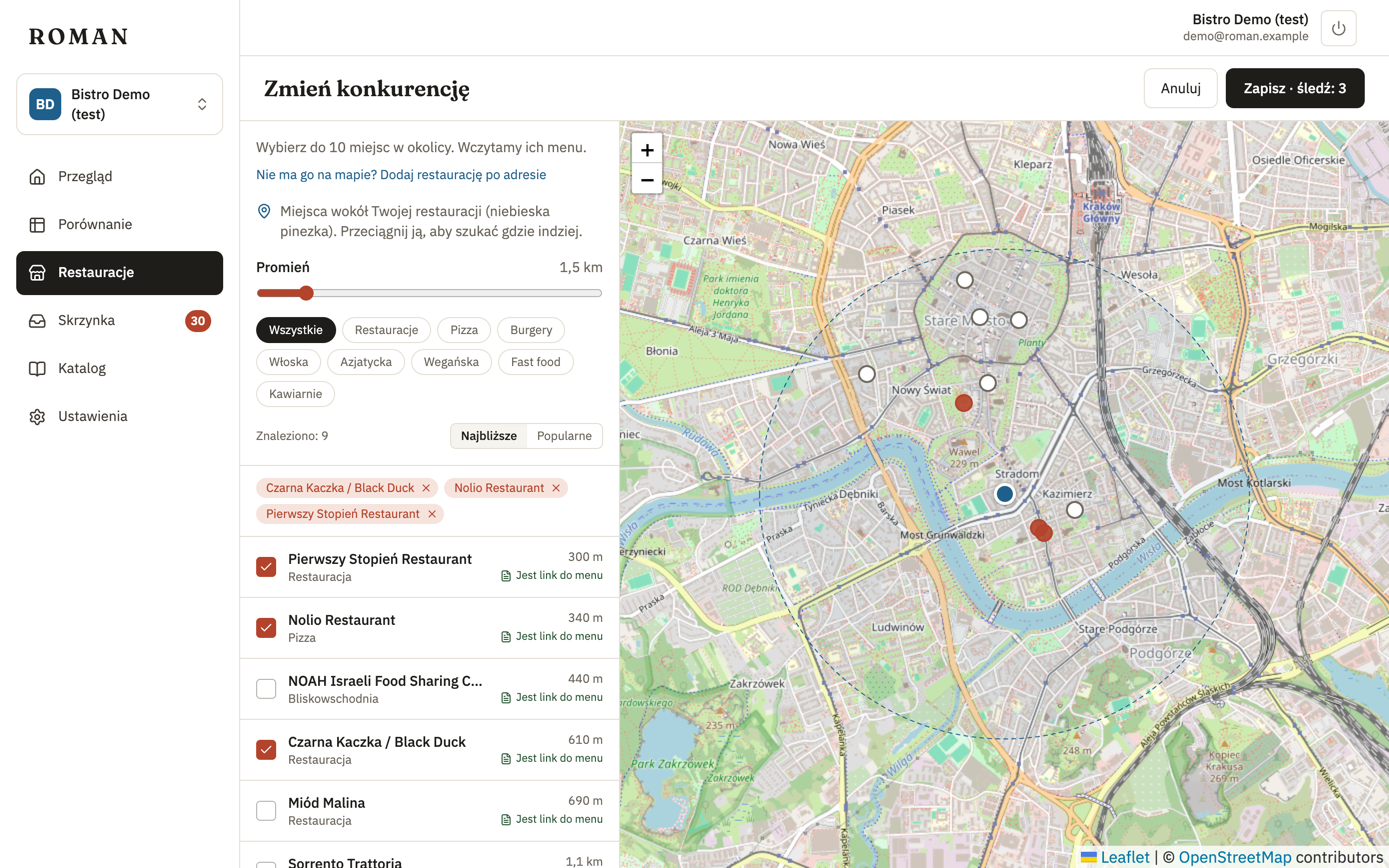
Change competitors opens the same picker as in step 4: the map, the list and adding by address. A restaurant you remove disappears from the comparison.
Restaurant page
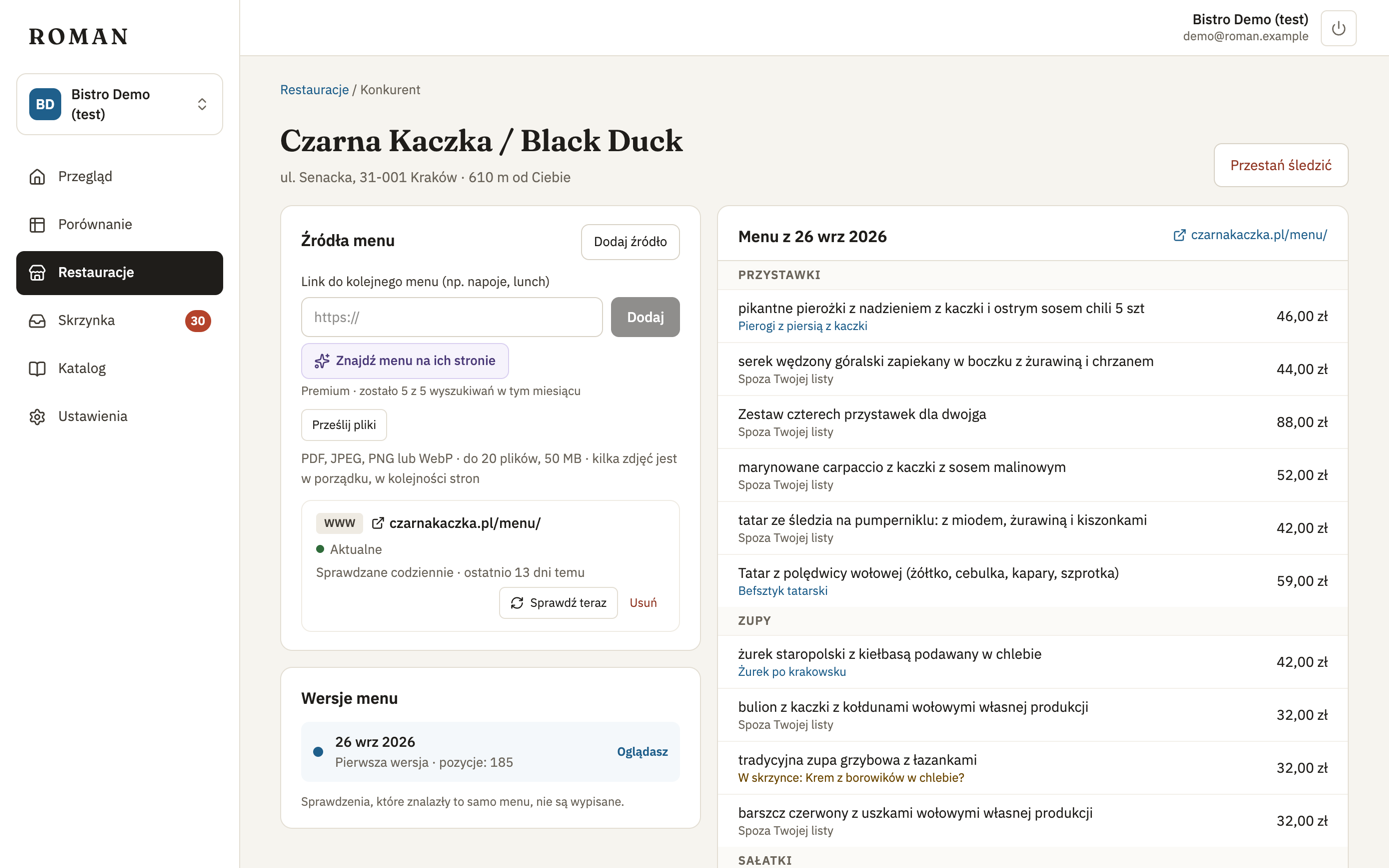
Click a restaurant to see its menus and their history.
Menu sources
A restaurant can have up to three menu sources, e.g. a separate drinks menu or a lunch menu. Each shows its type (web page, PDF, image or uploaded files), state and when it was checked.
- Add source — as a link or uploaded files.
- Upload new version — for an uploaded menu, when the restaurant changes its menu.
- Check now or Remove.
More: Menu sources.
Menu versions
The list of menu versions — a new version appears when a menu changes (checks that found the same menu aren't listed). For the selected version you see what changed since the previous one:
- Price changed — items with a new price, before and after.
- Added and Removed items.
- Show full menu — the whole menu of that version. Each item shows what it is for you: a matched dish, a suggestion in your inbox, not on your list, or ignored.
Stop tracking
Stop tracking removes the restaurant from your comparison, after you confirm. Its prices disappear from your figures.